Skip to content

The app

Everything you need, and nothing in your way.

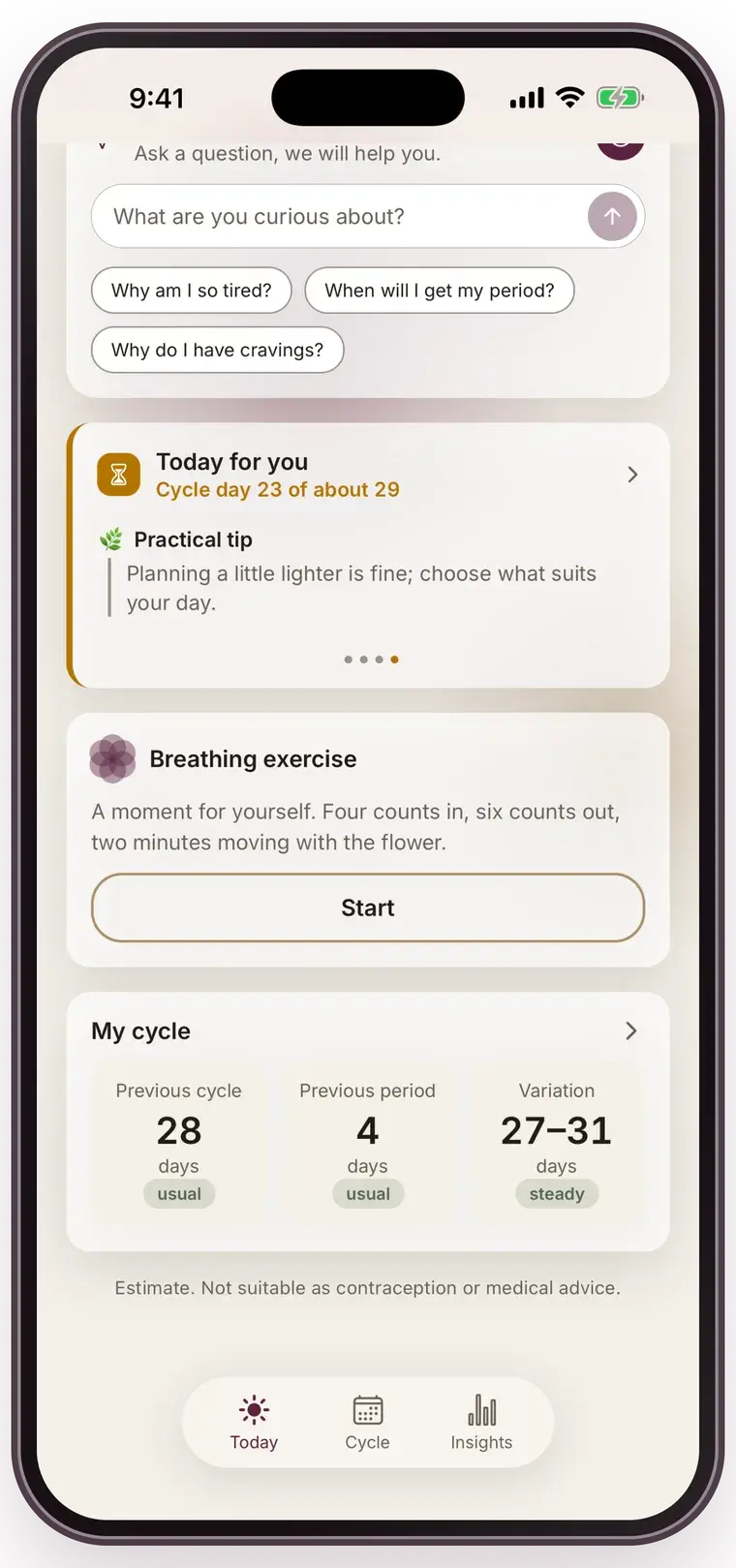
Mensis is built around four screens: Today, Cycle, Insights and Deen. That's all there is, and that's deliberate. Below is exactly what each part does — limits included.

Logging

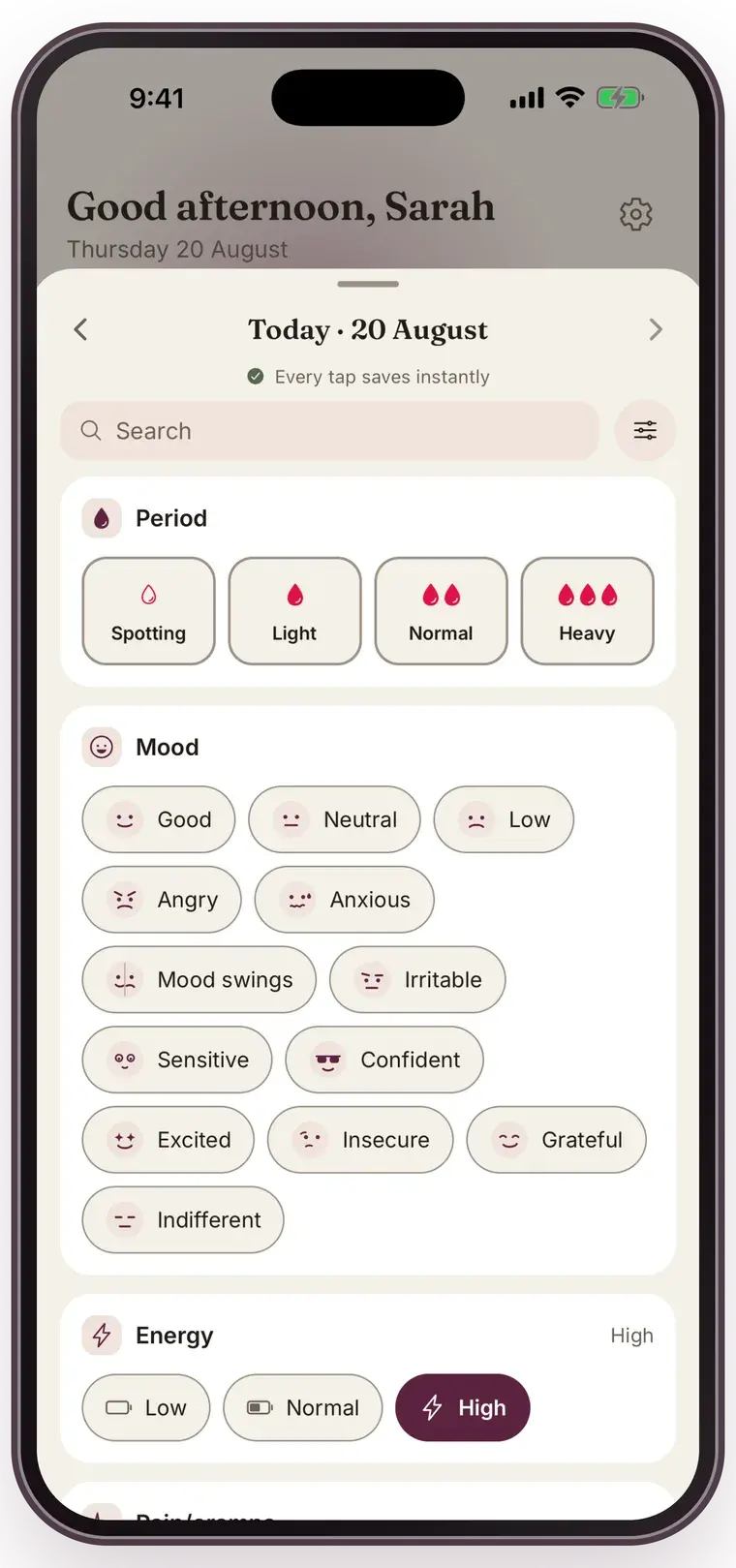
Three taps for your first log, one tap per symptom after that

The log button sits fixed in the middle of the navigation. It opens a single bottom sheet: period and flow at the top, nine categories as chips below. Every tap saves right away — there is no save button to forget.

  • Flow intensity: spotting, light, medium or heavy
  • Mood, energy, pain and cramps, sleep, skin, libido, discharge, headache and appetite
  • A free note field at the bottom, for whatever doesn't fit a chip
  • Everything readable per day in the calendar

Predictions

A weighted average, not a black box

Mensis looks at your last six cycles and weights the recent ones more heavily. Ovulation is derived from your expected next start minus your luteal length. Everything is calculated on your device — predictions never leave your phone.

  • The margin of uncertainty is always on screen: ± a number of days
  • With zero or one logged cycle that margin is explicitly wide (± 3 to 4 days)
  • On the pill or a hormonal IUD: no ovulation prediction, but your break week
  • If your period doesn't arrive, Mensis counts the days late instead of starting a new cycle

Calendar and insights

Readable without colour vision, readable in the dark

Every phase has its own shape alongside its own colour. Predicted days get a dotted border instead of a vague pastel wash, so the difference between “logged” and “expected” is never a matter of opacity.

  • Month view with day detail
  • Year overview of your cycle lengths
  • Pattern graph from your second logged cycle onwards
  • Phase explanations in plain language, with a medical disclaimer on the screen itself

August 2026

mo
tu
we
th
fr
sa
su
1
2
3
4
5
6
7
8
9
10
11
12
13
14
15
16
17
18
19
20
21
22
23
24
25
26
27
28
29
30
31

Notifications

Switchable one by one, and discreet if you want

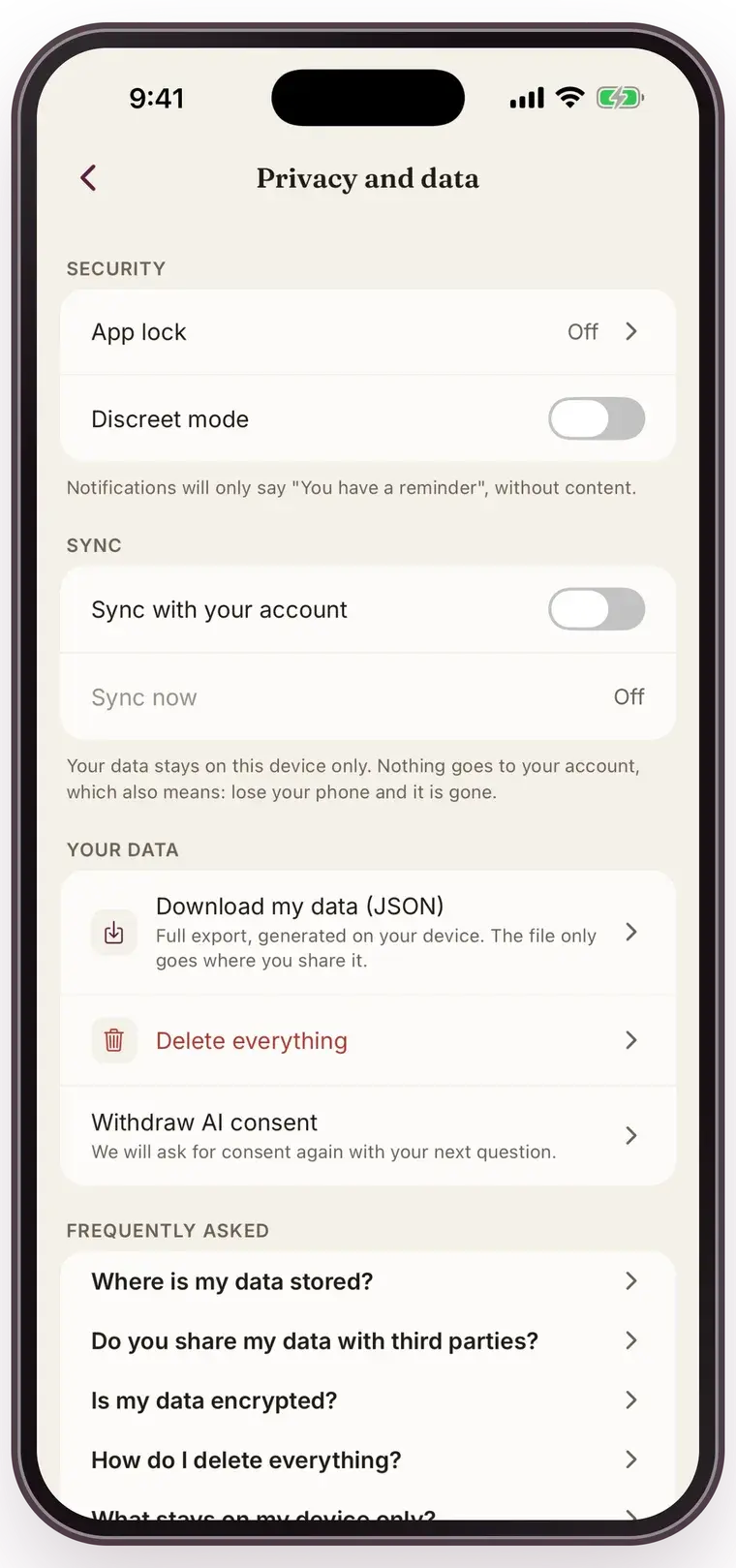
You get at most three kinds of notification: your period is coming, your ovulation is coming, and a reminder to log. All three can be turned off separately. In discreet mode your lock screen only says “You have a reminder”.

  • Notification permission is requested at the first relevant action, not during onboarding
  • Reminders run on local time — no shifting when you travel
  • The ghusl reminder only fires on a logged end of your period

Your data

Take it with you or throw it away, both without emailing anyone

You can export your data as JSON or PDF at any time, and delete your account with everything in it from inside the app. No support ticket, no waiting period, no “give us a call”.

  • The export is generated on your device
  • Deleting wipes logs, profile, deen data and conversations
  • Live data gone within 30 days, backups within another 14 days
  • The deletion screen tells you itself that your subscription doesn't stop with it, and links to your App Store subscriptions

What Mensis does not do (yet)

An honest list beats a disappointment after install.

Frequently asked questions
  • No pregnancy mode at launch — that follows later, together with nifas support
  • No nifas (postnatal bleeding): it has its own rules that we don't support yet
  • No Apple Health or Health Connect sync at launch
  • No community or forum
  • No Arabic or Turkish at launch — Dutch and English yes
Download on the App StoreGet it on Google Play

App Store and Google Play — at launch